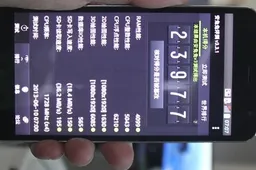
Why you should install MIUI developer ROM on your Xiaomi and how!
How to's | GuidesTuesday, 11 June 2013 at 23:11

If you have a Xiaomi phone and are enjoying MIUI, you might want to take a few minutes to install the developer ROM to gain access to new features!
When I first bought my Xiaomi Mi2 I updated it to MIUI V5 ahead of the official release and haven't looked back since! Running the developer version means you get access to features which haven't yet been launched yet.
MIUI developer ROM features
Some of my favourite features from inside the dev ROM is the built-in QR scanner in the regular camera app meaning I don't need a separate app, the excellent Transfer app, allowing me to connect to another Xiaomi phone to transfer files and images, plus desktop shortcuts to both the music player and Notes apps (slide the icons up and down to use). And if you enjoy taking photos of yourself you will enjoy the built-in 'beautification' setting on the front facing camera!
With the weekly updates new features are added on a very regular basis so it's hard to keep up with all the new features which those of you on the regular MIUI ROM are missing out on!
How to install the MIUI developer ROM?
Like most things on Xiaomi phones, updating to the developer ROM is very straightforward and takes just a matter of minutes.

When you choose your phone you will see that there are various options of ROM to download. We want to download the option from the Grey button (currently 3.6.7). Don't worry that this is all in Chinese as the ROM supports English.

Once you have downloaded the ROM load it on to your phone. You can choose any location, but I usually choose the "downloaded_rom" file.

Now that the ROM is on your Xiaomi it is time to update. Head to the built-in Updater app and open it.

Press the capitative menu button and you will choose the "Select installation pack" option then navigate to your ROM.

Choose "Update Now" then wait.

Your phone will now update to the MIUI developers ROM and Reboot.
Now you can enjoy all the latest features now without having to wait!
loading
Popular News


Latest News
Loading